Running a business involves managing multiple activities at the same time, including finance, operations, inventory, employees, customer relationships, and daily reporting. When these processes are handled through separate software, spreadsheets, or manual methods, it becomes difficult to maintain accurate information and keep everything organised.
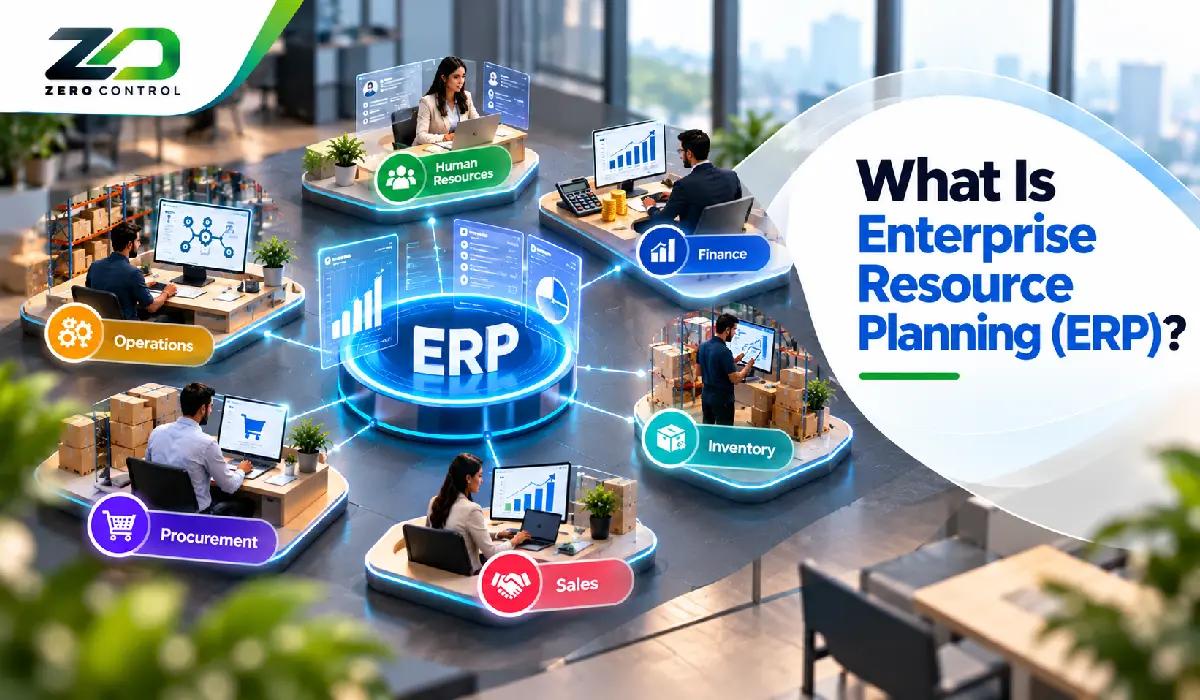
This is where Enterprise Resource Planning (ERP) software becomes valuable. An ERP system brings different business functions together through a centralised platform, helping businesses manage operations, access real-time information, and make better decisions.
However, choosing the right ERP software for business operations is not always straightforward. There are hundreds of ERP solutions available, each offering different features, pricing structures, and capabilities. Selecting a system without understanding your business requirements can result in unnecessary costs, complicated workflows, and poor adoption.
So, how do you choose the right ERP system?
The answer starts with understanding your business needs, identifying essential features, comparing available solutions, and selecting a system that can support your long-term growth.
What Is ERP and Why Does Your Business Need It?
Enterprise Resource Planning (ERP) is a type of business management software that connects different departments and business processes through one integrated system.
Instead of maintaining separate records for accounting, inventory, purchasing, employee management, and operations, businesses can manage these activities through a centralised platform.
For example, when a sales order is recorded, an integrated ERP system can help update inventory records, generate relevant financial information, and provide visibility to the operations team. This reduces the need to enter the same information repeatedly across different systems.
Benefits of Using an ERP System
A properly selected ERP system can provide several advantages:
- Centralised Information: Keep important business information organised in one platform instead of managing multiple disconnected records.
- Improved Productivity: Reduce repetitive administrative tasks and manual data entry.
- Better Decision-Making: Access reports and business information to understand performance and identify operational issues.
- Greater Visibility: Monitor activities across departments and track business performance more effectively.
- Reduced Errors: Improve data consistency by connecting related business processes.
- Business Scalability: Support additional users, departments, locations, and workflows as your organisation grows.
The actual benefits depend on the ERP features, implementation quality, and how effectively employees use the system.
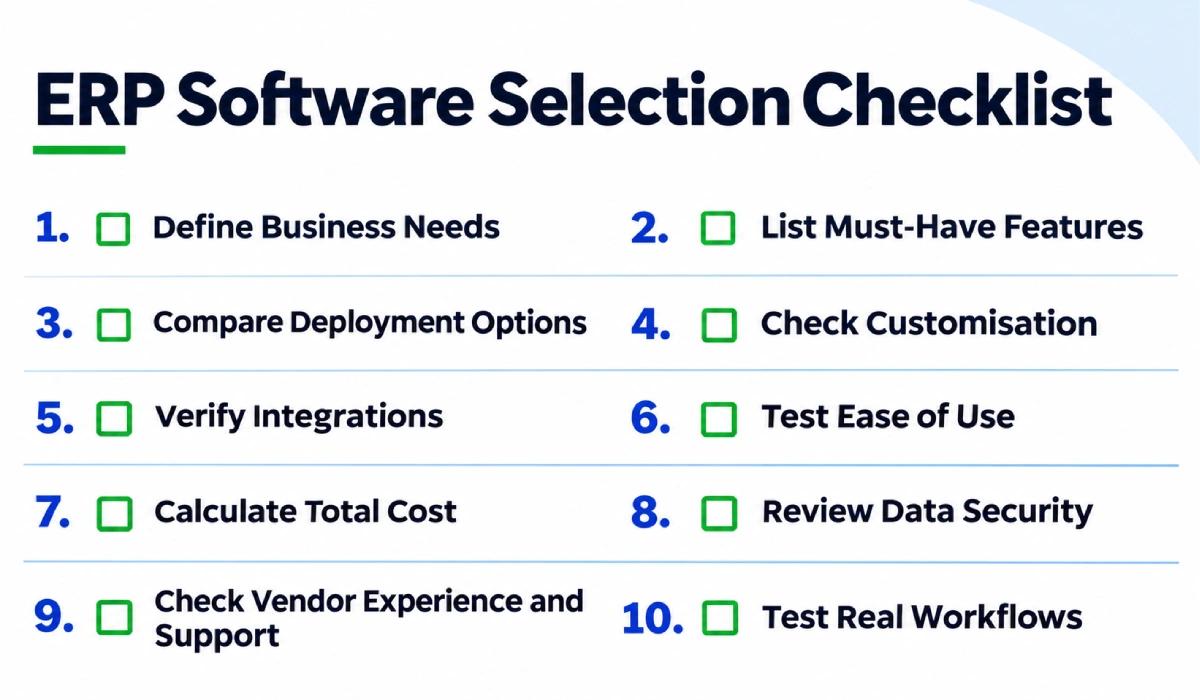
10 Important Factors to Consider When Choosing ERP Software for Business
Before investing in an ERP platform, evaluate how well it matches your current operations and future business requirements. The following factors can help you make a more informed decision.
1. Understand Your Business Requirements
Start by identifying the challenges you want your ERP software to solve. Every business has different operational requirements, so choosing a system simply because it offers many features is not a good approach.
Consider questions such as:
- Which business activities currently take the most time?
- Are you managing financial records through separate tools?
- Do you face difficulties tracking employees, projects, or inventory?
- Are departments working with disconnected information?
- Which processes should be automated?
- What problems do you expect the ERP system to solve?
For example, a manufacturing company may prioritise production planning, inventory, and procurement, while a service-based organisation may need employee management, project tracking, and billing capabilities.
Create a list of essential requirements before starting your ERP system selection process. This will help you avoid paying for features your business does not need.
2. Identify the Essential ERP Features and Benefits
Not every business requires the same ERP features. The right solution should include the functionality that supports your daily operations.
Some commonly required ERP features include:
- Financial Management: Manage accounting, expenses, payments, invoices, and financial reports.
- Human Resource Management: Organise employee information, attendance, payroll-related processes, and workforce records.
- Inventory Management: Track stock levels, product movements, purchasing, and inventory availability.
- Sales and Customer Management: Manage customer information, sales activities, orders, and communication.
- Project Management: Monitor project progress, task assignments, deadlines, and resource utilisation.
- Reporting and Analytics: Generate reports to evaluate business performance and support planning.
- Workflow Automation: Reduce repetitive tasks and establish consistent business processes.
When evaluating ERP solutions for businesses, distinguish between essential features and optional capabilities. A practical system that handles your actual requirements is often more valuable than a complicated platform with features your team will rarely use.
3. Choose Between Cloud-Based and On-Premise ERP Software
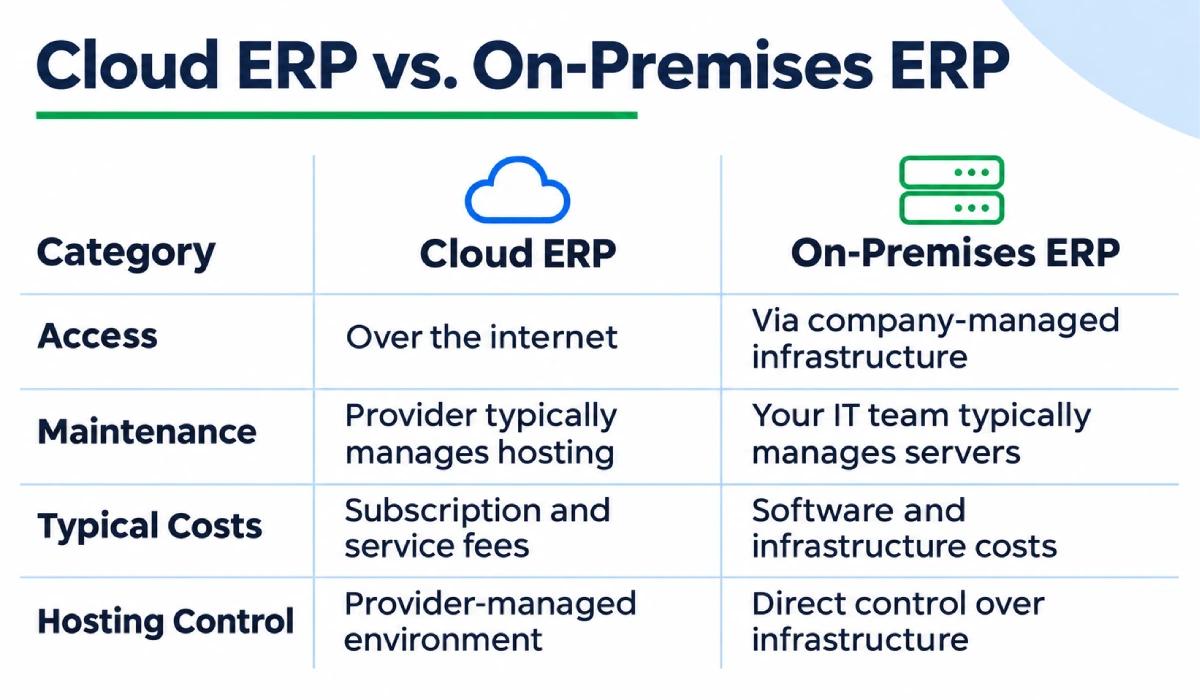
One important decision is how your ERP system will be hosted and accessed.
Cloud-Based ERP Software
Cloud ERP is hosted on cloud infrastructure and accessed through an internet connection. The software provider or hosting arrangement generally manages the underlying infrastructure.
Key advantages include:
- Access business information from different locations.
- Reduce the need to maintain on-site servers.
- Support remote and multi-location teams.
- Receive software updates according to the provider's release schedule.
- Scale resources based on business requirements.
However, businesses should evaluate internet dependency, data security, backup policies, subscription costs, and the provider's service commitments.
On-Premise ERP Software
An on-premises ERP system is installed on the organisation's own servers or infrastructure.
It may offer greater control over hosting, infrastructure, and certain customisation requirements. However, the business is generally responsible for server maintenance, security updates, backups, and infrastructure management.
Which Option Should You Choose?
For businesses that want remote accessibility and less responsibility for maintaining physical infrastructure, cloud-based ERP software can be a practical choice. Organisations with specific infrastructure, regulatory, or control requirements may prefer an on-premises or hybrid arrangement.
Evaluate both options based on your IT resources, budget, security requirements, and operational needs.
4. Check Customisation and Flexibility
Your business processes may be different from standard industry workflows. Therefore, the ERP system should provide enough flexibility to accommodate your requirements.
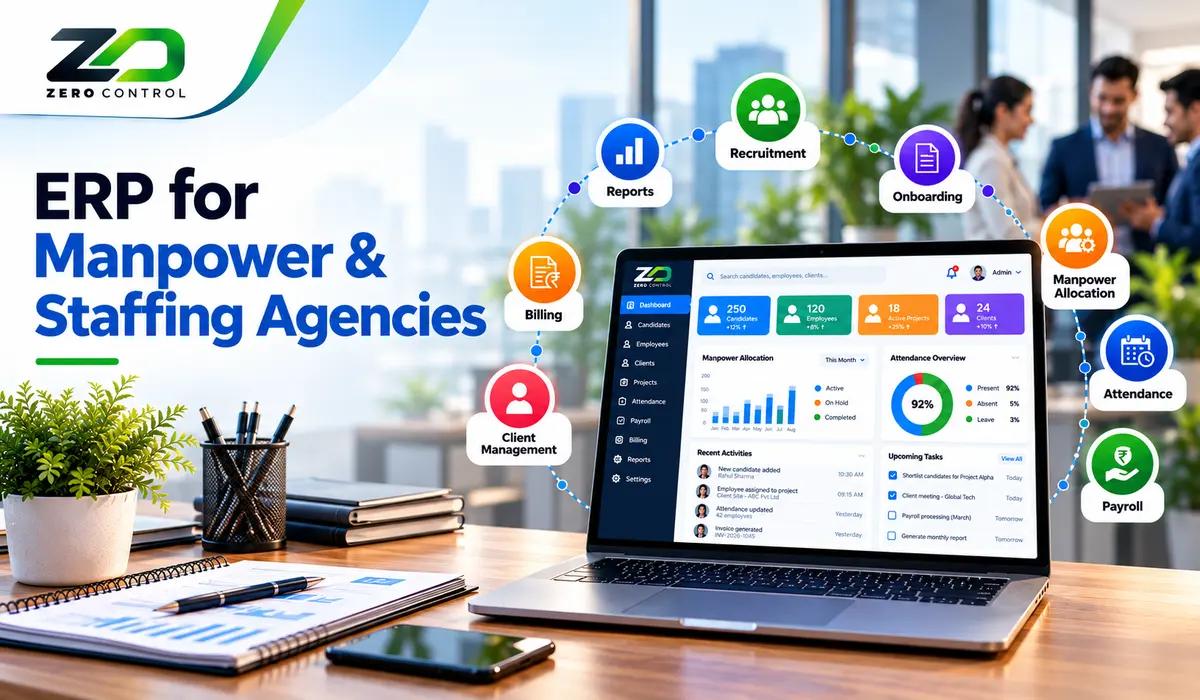
For example, an ERP for a manpower or staffing agency may need to manage client requirements, candidate records, employee information, deployment details, and operational activities through connected workflows.
Before selecting an ERP solution, check whether it allows:
- Custom fields and business records.
- Configurable approval workflows.
- Role-based access permissions.
- Custom reports and dashboards.
- Additional modules when required.
- Changes to workflows as business needs evolve.
However, avoid unnecessary customisation. Excessive modifications can increase implementation costs and make future upgrades more complicated.
The objective should be to select a flexible ERP platform that supports your operations without making the system unnecessarily complex.
5. Evaluate Integration With Your Existing Systems
Most businesses already use different tools for accounting, communication, payments, customer management, or other operational activities.
Your new ERP software should be able to integrate with your existing systems wherever necessary.
For example, integration may be required with:
- Accounting and financial software.
- CRM platforms.
- Payroll and HR applications.
- Payment gateways.
- E-commerce platforms.
- Business communication tools.
- Reporting and analytics applications.
Ask the ERP vendor whether integrations are available through APIs, built-in connectors, or supported third-party applications.
Also, clarify whether integrations require additional development charges or ongoing subscription fees.
A well-integrated system reduces duplicate data entry, improves information flow, and helps different departments work with consistent business information.
6. Consider Ease of Use and Employee Adoption
Even the best ERP software for business operations will not deliver its expected value if employees find it difficult to use.
A complicated interface can create confusion, increase training requirements, and reduce employee adoption.
During product demonstrations, ask employees from different departments to test the system. Check whether they can easily:
- Navigate the dashboard.
- Find relevant business information.
- Complete daily tasks.
- Generate reports.
- Update records.
- Understand approval workflows.
Look for a clear interface, logical navigation, responsive support, and useful training resources.
Employee feedback is particularly important because the people using the software daily can identify practical issues that may not be visible during a sales presentation.
7. Compare ERP Cost and Pricing
ERP cost and pricing should be evaluated beyond the initial software subscription or purchase price.
Depending on the platform, your total investment may include:
- Software licence or subscription fees.
- Implementation and configuration charges.
- Data migration costs.
- Customisation and integration expenses.
- Employee training.
- Technical support and maintenance.
- Additional user or module charges.
- Infrastructure and hosting expenses, where applicable.
Request a detailed quotation that explains both initial and recurring costs.
For a fair ERP software comparison, calculate the expected total cost over three to five years rather than comparing only monthly subscription prices.
A lower-priced ERP system may become more expensive if it requires extensive customisation, additional integrations, or frequent technical support.
8. Review Data Security and Access Control
ERP software stores important business information, so security should be a priority during vendor selection.
Check whether the provider offers:
- Role-based user permissions.
- Secure authentication methods.
- Data encryption.
- Regular data backups.
- Activity logs and audit trails.
- Security updates.
- Data recovery procedures.
- Clear data ownership and export policies.
Ask where your business data will be stored, who can access it, and how it will be protected.
If your organisation handles sensitive customer, financial, or employee information, review applicable legal and regulatory requirements before implementation.
9. Check Vendor Experience and Technical Support
ERP vendor selection is not only about choosing software. You are also selecting a provider who may support your business over several years.
Before making a decision, investigate the vendor's experience, implementation approach, support availability, and product development plans.
Ask questions such as:
- Does the vendor understand your industry?
- Can they demonstrate similar business workflows?
- What implementation support is included?
- How are technical issues handled?
- Are training resources available?
- What happens when your business needs additional features?
- Can you access and export your data if you change providers?
Request references or relevant case studies where available.
A reliable vendor should clearly explain what the system can do, what requires customisation, and what limitations you should understand before purchasing.
10. Test the ERP System Before Making a Final Decision
Never select an ERP system based only on marketing materials or a sales presentation.
Request a live demonstration, free trial, or proof of concept, depending on what the vendor offers.
Test the workflows that matter most to your business. For example, check how easily your team can create records, assign tasks, process transactions, manage approvals, and generate reports.
You should also involve the people who will use the system regularly.
Create a comparison sheet to evaluate shortlisted ERP solutions based on functionality, usability, integration, scalability, security, support, and overall cost.
This makes the final decision more objective and reduces the risk of selecting an unsuitable platform.
ERP Software for Small Businesses: What Should You Look For?
Small businesses often have limited budgets, smaller teams, and fewer IT resources. They may not need the same level of functionality as a large enterprise.
When evaluating ERP software for small businesses, focus on practical requirements rather than the number of available modules.
Prioritise:
- Affordable and transparent pricing.
- Easy implementation.
- Simple user experience.
- Essential accounting and operational features.
- Flexible user management.
- Cloud accessibility, if required.
- Integration with existing business applications.
- The ability to add features as your business grows.
A modular ERP solution can be useful because it allows businesses to start with essential functions and expand later.
The best ERP software for business growth is not necessarily the most expensive or feature-rich option. It is the one that solves your current problems while supporting your future requirements.
ERP Implementation: What Should You Expect?
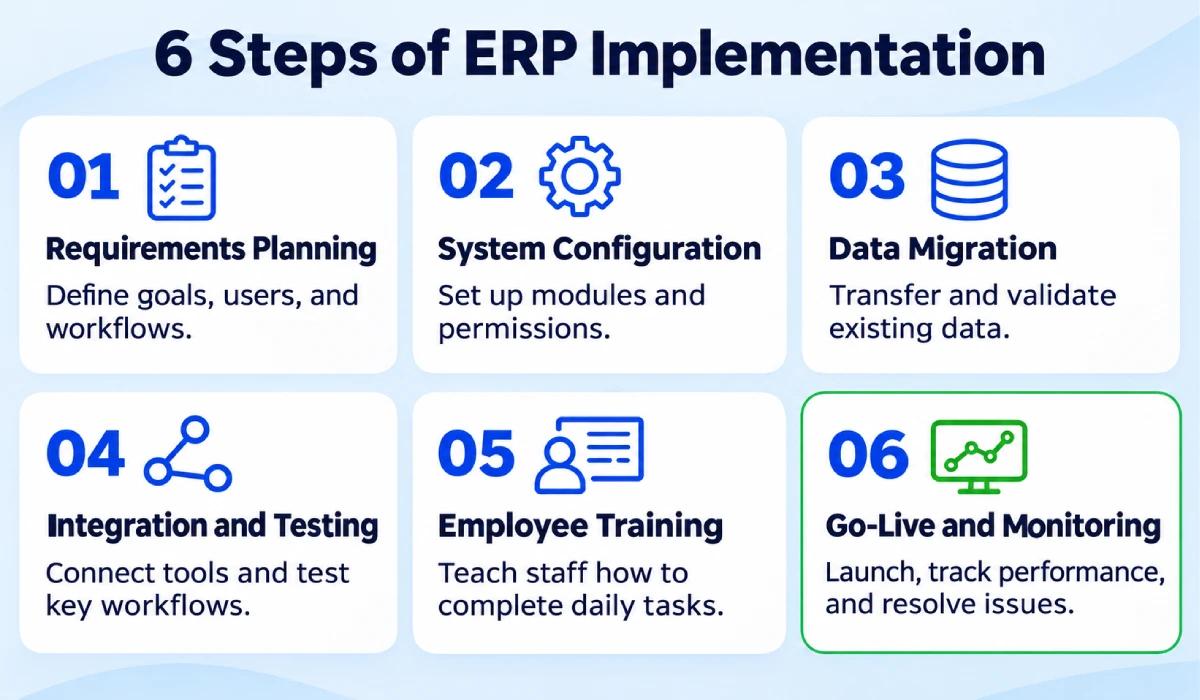
Selecting the software is only the beginning. Successful ERP implementation requires proper planning, employee involvement, and a structured approach.
A typical implementation process includes:
- Requirements Planning: Finalise business objectives, workflows, users, and essential features.
- System Configuration: Configure modules, permissions, dashboards, and workflows according to your requirements.
- Data Migration: Transfer relevant business information from existing spreadsheets and applications. Validate the migrated data before going live.
- Integration and Testing: Connect required applications and test important workflows to identify issues.
- Employee Training: Train employees to use the system effectively and provide documentation for common tasks.
- Go-Live and Monitoring: Launch the system, monitor performance, collect employee feedback, and resolve issues.
Avoid rushing implementation. A phased rollout can reduce operational disruption and give employees time to become familiar with the new platform.
Frequently Asked Questions About ERP Software
1. Which ERP Is Best for Small Business?
The best ERP for a small business depends on its industry, budget, team size, and operational requirements. Small businesses should look for an affordable, easy-to-use, scalable solution with essential features such as accounting, inventory, sales, and employee management. Always compare functionality and total ownership costs before selecting a platform.
2. How to Choose the Right ERP System?
Start by identifying your business challenges and defining your software requirements. Compare ERP features, hosting options, integration capabilities, customisation, security, pricing, and vendor support. Request product demonstrations and test important workflows before making your final decision.
3. What Is Replacing ERP?
ERP is not being replaced by one specific technology. Instead, modern business management is evolving through cloud-native ERP platforms, modular applications, artificial intelligence, automation, and integrated business tools. These technologies are increasingly becoming part of modern ERP solutions rather than completely replacing them.
4. What Is the Easiest ERP System?
An easy ERP system has a simple interface, straightforward navigation, relevant features, and minimal unnecessary complexity. The easiest option depends on your team's technical experience and business processes. Request a demonstration and let actual users test the system before deciding.
5. How Much Does ERP Software Cost in India?
There is no fixed cost for ERP software in India. Pricing varies depending on the number of users, modules, deployment model, customisation, implementation requirements, and support services. Some solutions use monthly or annual subscriptions, while others involve licence and implementation charges. Request a customised quotation and compare the total cost over several years.
Final Thoughts
Choosing the right ERP software for business operations requires more than comparing features and prices. You need to understand your workflows, identify operational challenges, evaluate integration requirements, and consider how the system will support your organisation as it grows.
The right ERP solution should simplify everyday work, improve visibility into information, reduce manual effort, and help your team make informed decisions.
Take time to compare ERP solutions, involve employees in the evaluation process, and carefully review implementation and support arrangements before committing.
If you are looking for an ERP solution designed around your business operations, explore Zero Control. Evaluate your requirements and discover how the right ERP platform can help bring greater structure, visibility, and control to your business.
Ready to improve the way your business operates? Explore an ERP solution that fits your requirements and take the next step towards more organised business management.